 Ptah
PtahA Big Update to the Ptah Playground
The real Ptah CLI in your browser tab, against SQLite. What's new: guided steps, change marks in the editor, and a layout for phones.

Today we shipped a big update to play.ptah.run.
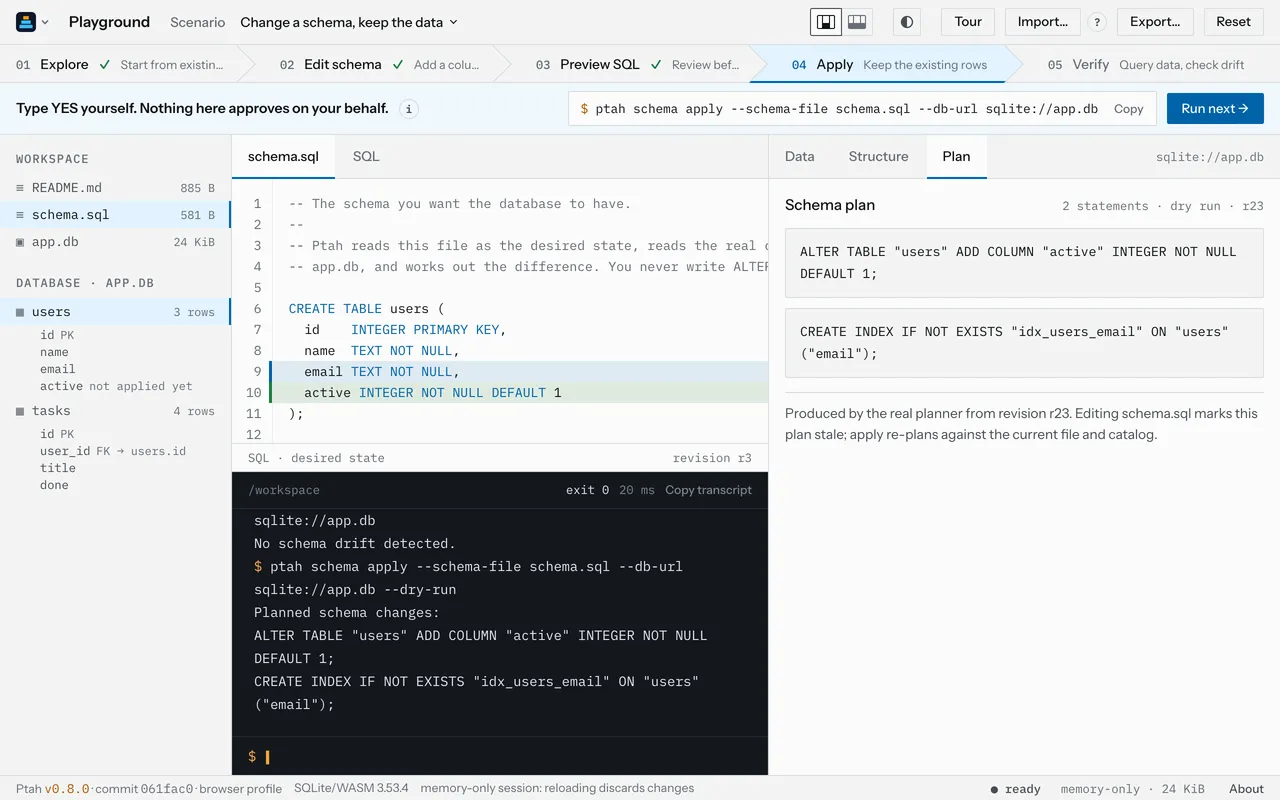
The playground is the place to try Ptah without installing anything. It runs the real Ptah CLI, version 0.8.0, compiled to WebAssembly, against a SQLite database that lives in your browser tab. The plans, the output and the exit codes are Ptah’s own, not a recording.
You pick a scenario, follow its steps, and watch the schema, the database and the terminal change as you go.
What’s new
Section titled “What’s new”Steps you can follow
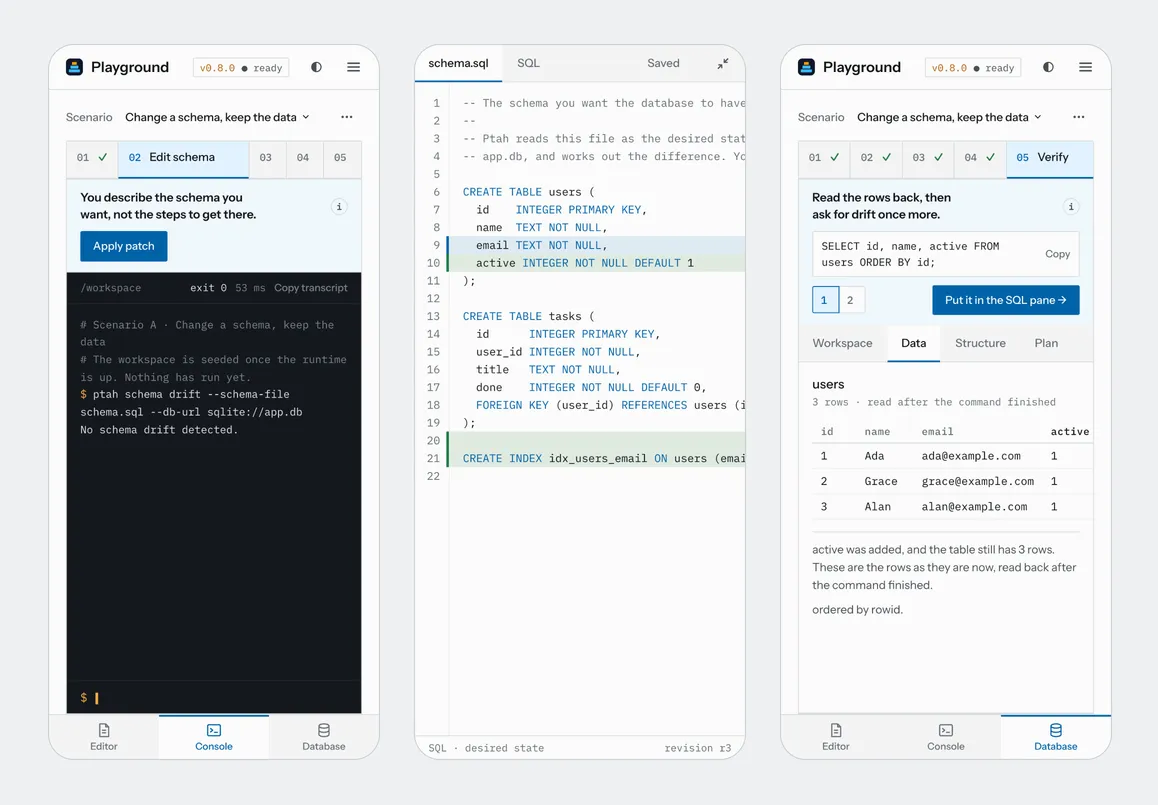
Section titled “Steps you can follow”Each step tells you what to do, and now it can make the edit for you too.
When a step changes the schema, Apply patch writes the edit into
schema.sql. Cmd+Z or Ctrl+Z undoes it.
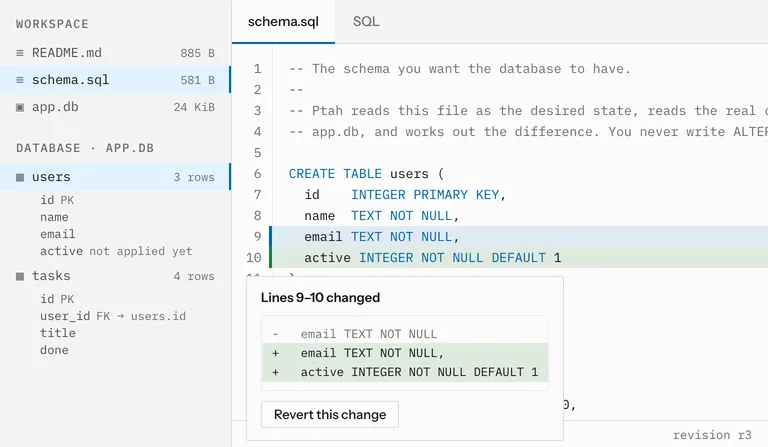
The editor marks what changed compared to the original file. Click a mark to see the old lines and revert only that change.
A step gets its tick when the database is in the state the step asks for, not when you press a button.
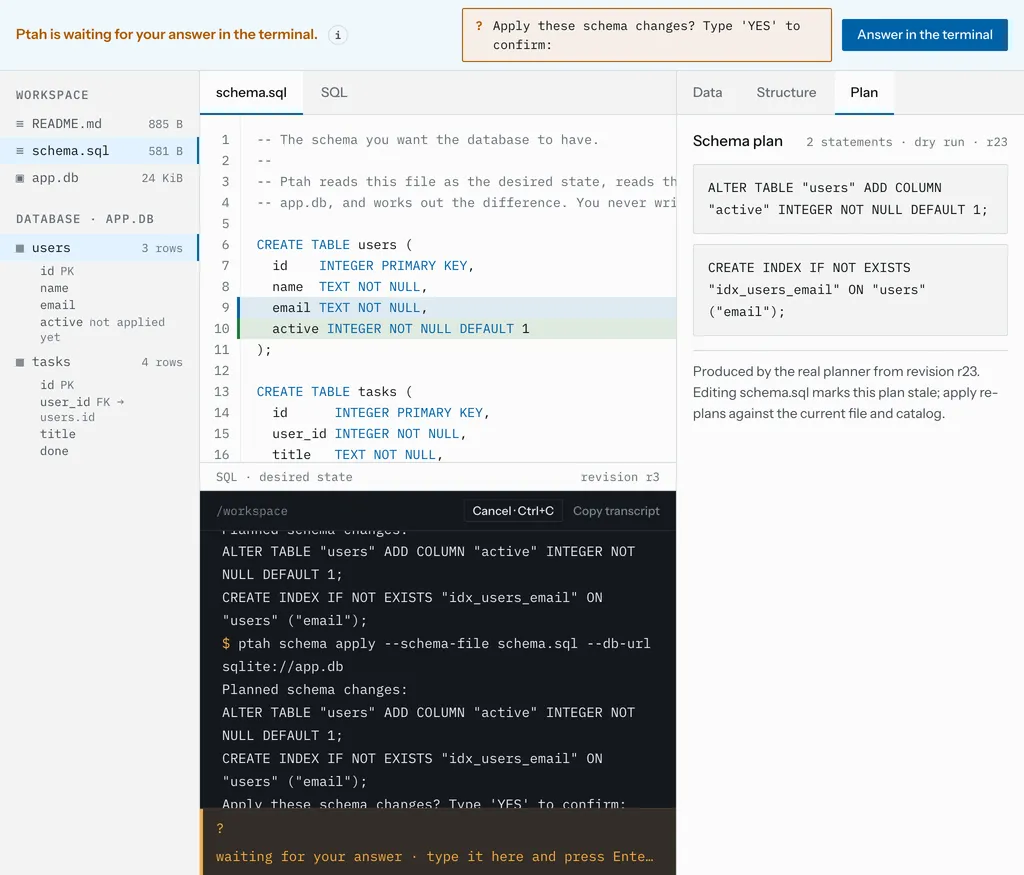
When Ptah asks you to confirm a change, the page points you to the prompt.
It never types YES for you.
Four scenarios to pick from
Section titled “Four scenarios to pick from”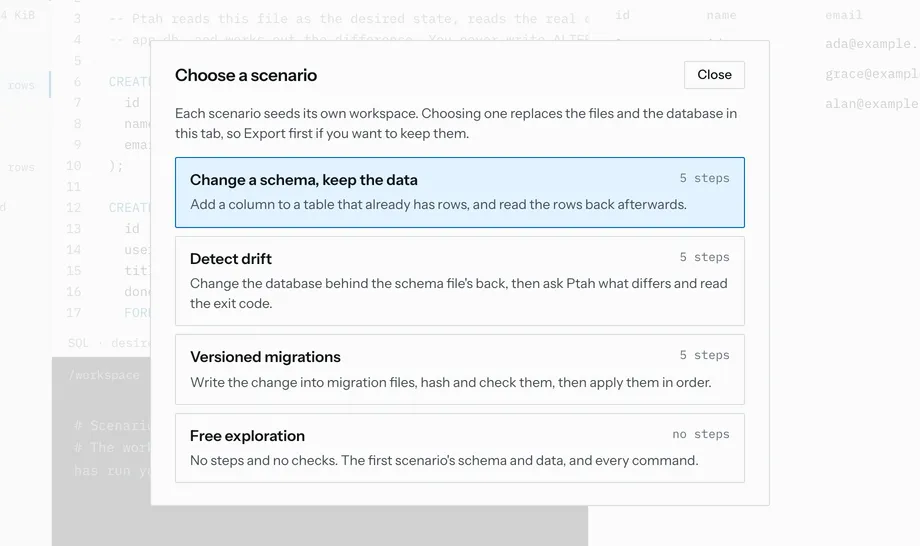
Change a schema and keep the data, catch drift, write versioned migrations, or explore on your own with no steps at all. Import opens a SQLite file from your computer, and Export downloads your workspace to continue with the installed CLI.
It works on a phone
Section titled “It works on a phone”On a narrow screen, the panes turn into tabs at the bottom. The editor can go full screen, with a Save button.
Smaller things
Section titled “Smaller things”- Drag the lines between the panes to resize them.
- Your work lives only in this tab, so a link that leaves the playground asks first.
- In the editor, Tab indents. Press Escape and then Tab to move out of it.
Try it: change a schema, keep the data
Section titled “Try it: change a schema, keep the data”The first scenario adds a column to a table that already has three rows. After the edit, Ptah shows what it would run:
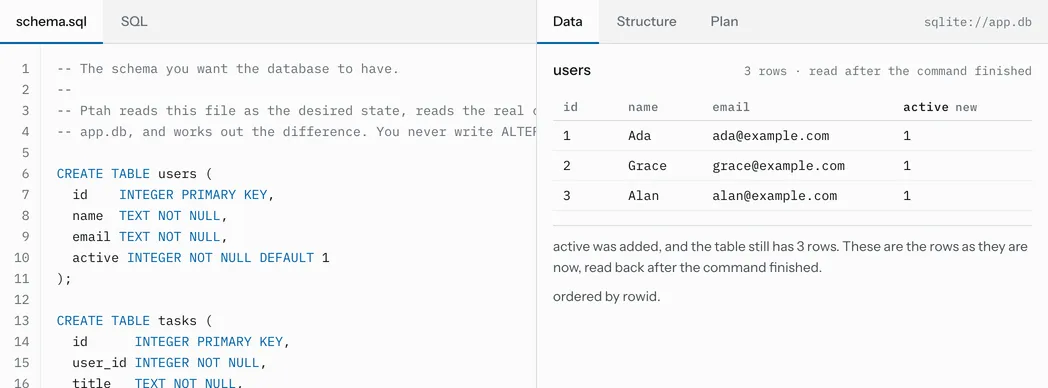
$ ptah schema apply --schema-file schema.sql --db-url sqlite://app.db --dry-runPlanned schema changes:ALTER TABLE "users" ADD COLUMN "active" INTEGER NOT NULL DEFAULT 1;CREATE INDEX IF NOT EXISTS "idx_users_email" ON "users" ("email");You type YES, Ptah applies it, and the rows are still there, with the new
column filled from its default:
The drift scenario shows the opposite case. Someone changes the database directly, and Ptah reports it with exit code 1:
$ ptah schema drift --schema-file schema.sql --db-url sqlite://app.dbSchema drift detected (highest severity: destructive).Failure threshold: all. Failing: true.Database: sqlite://app.db
Findings:- columns_removed: 1 (destructive)
The new column shows up as “removed” because that is what it would take to make the database match the file again.
Limits
Section titled “Limits”- SQLite only. The tab can’t reach PostgreSQL, MySQL or the other databases Ptah supports.
- Nothing is saved. Reload the page and your work is gone, so export it first.
- The terminal runs one command at a time: no pipes or redirects.
- The first visit downloads about 24 MB.
Give it a try at play.ptah.run. The site’s source is on GitHub at stokaro/ptah-sandbox. The output in this post was captured on September 23, 2026; the example files have all of it.