 Ptah
Try DuckDB in the Ptah Playground
DuckDB is now in the Ptah Playground. Preview schema changes, detect drift, and try versioned migrations in your browser without installing anything.

Ptah helps you plan, review, and apply database migrations. Try in your browser
DuckDB is now available in the Ptah Playground. Open the link to start with DuckDB selected, or choose it in the database picker. You can run Ptah’s real CLI against an in-memory DuckDB database in your browser. There is nothing to install or sign up for.
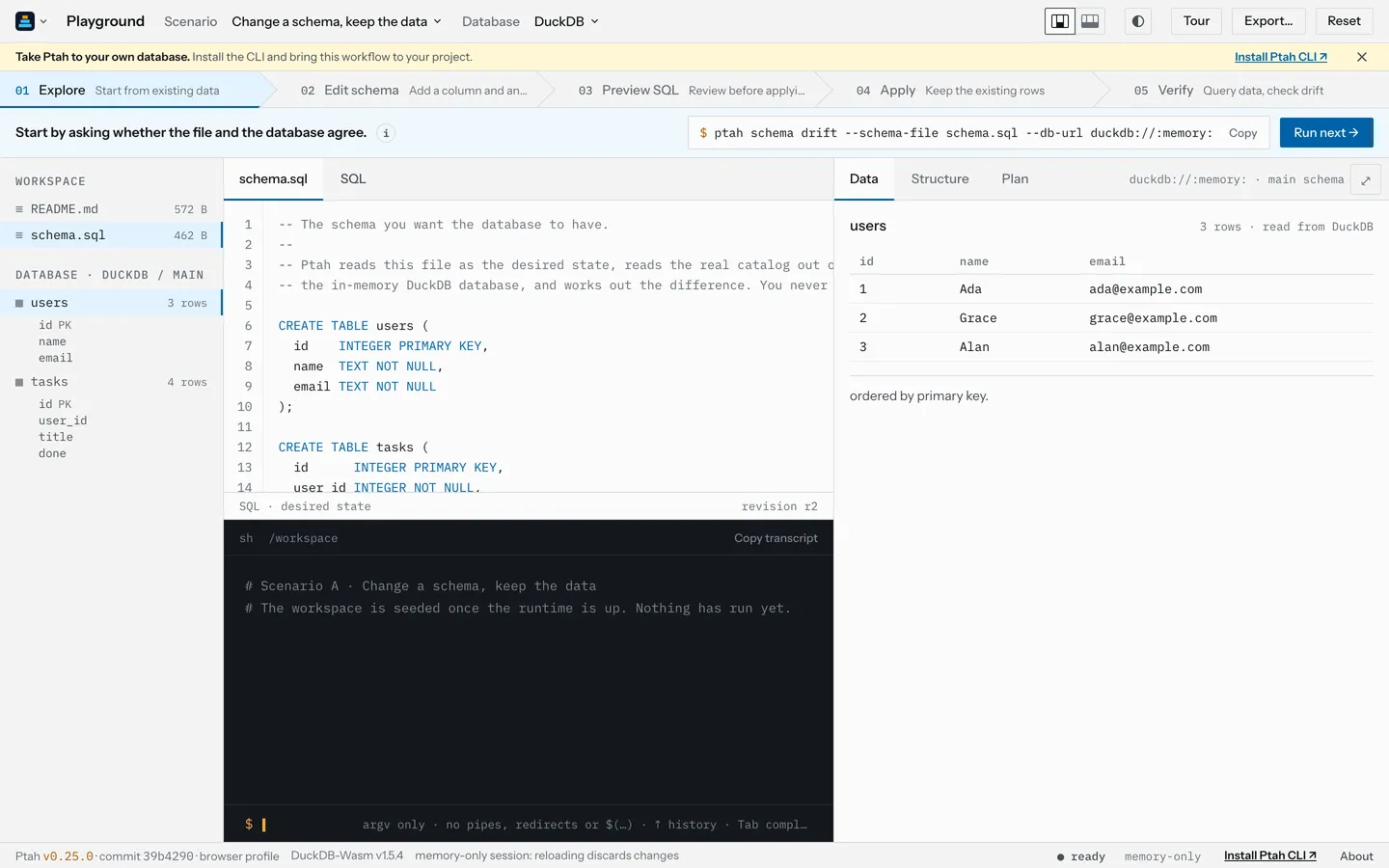
The playground uses our official DuckDB provider for catalog reads, schema plans, and migrations. The database runs through DuckDB-Wasm. The plan you see comes from Ptah and the provider, and you can inspect the result in the playground’s database pane.
Preview a change and keep the rows
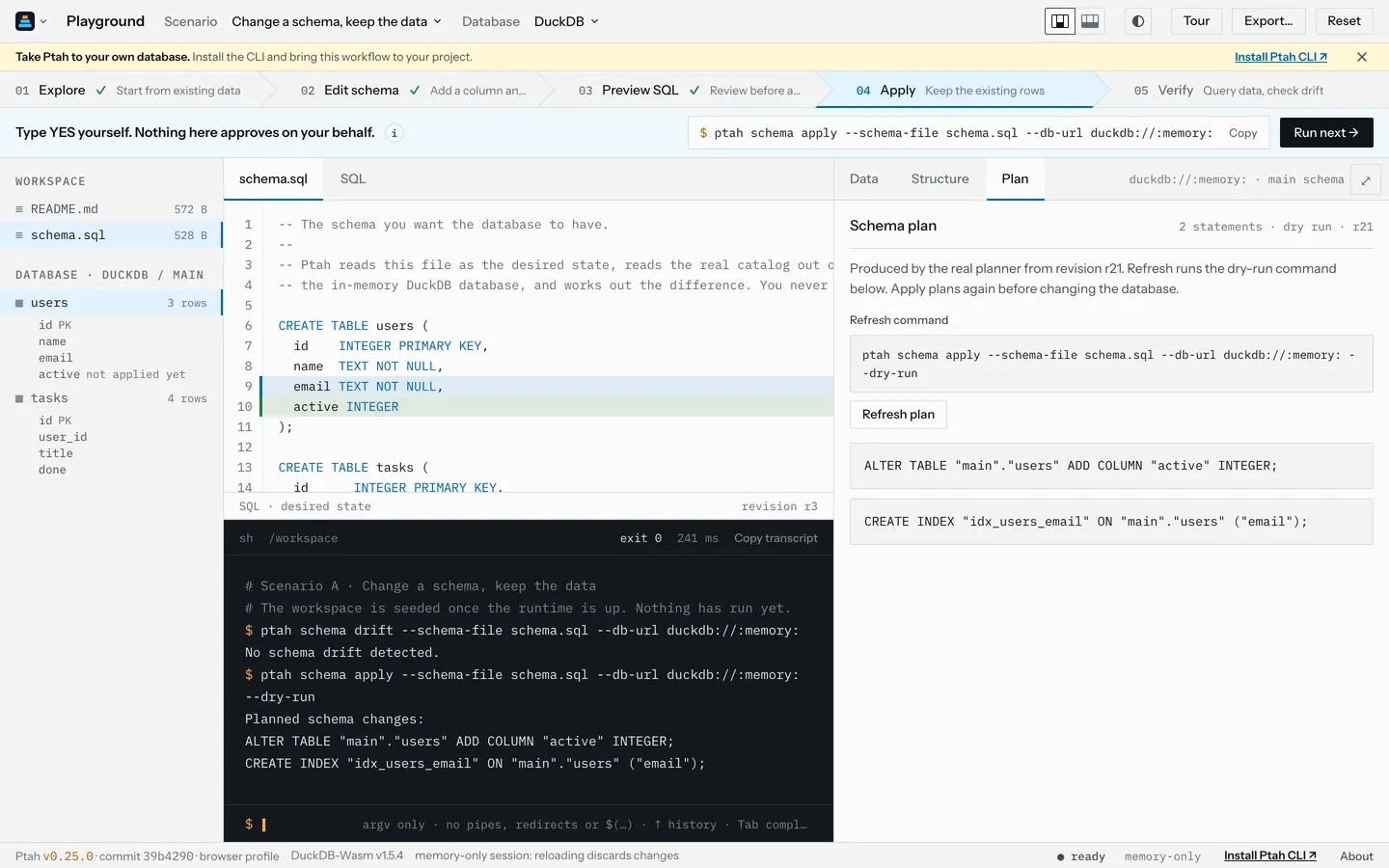
Section titled “Preview a change and keep the rows”The schema change scenario starts with three users. Add an active column and
an email index to schema.sql, then preview the change. Ptah plans two DuckDB
statements before anything is applied:
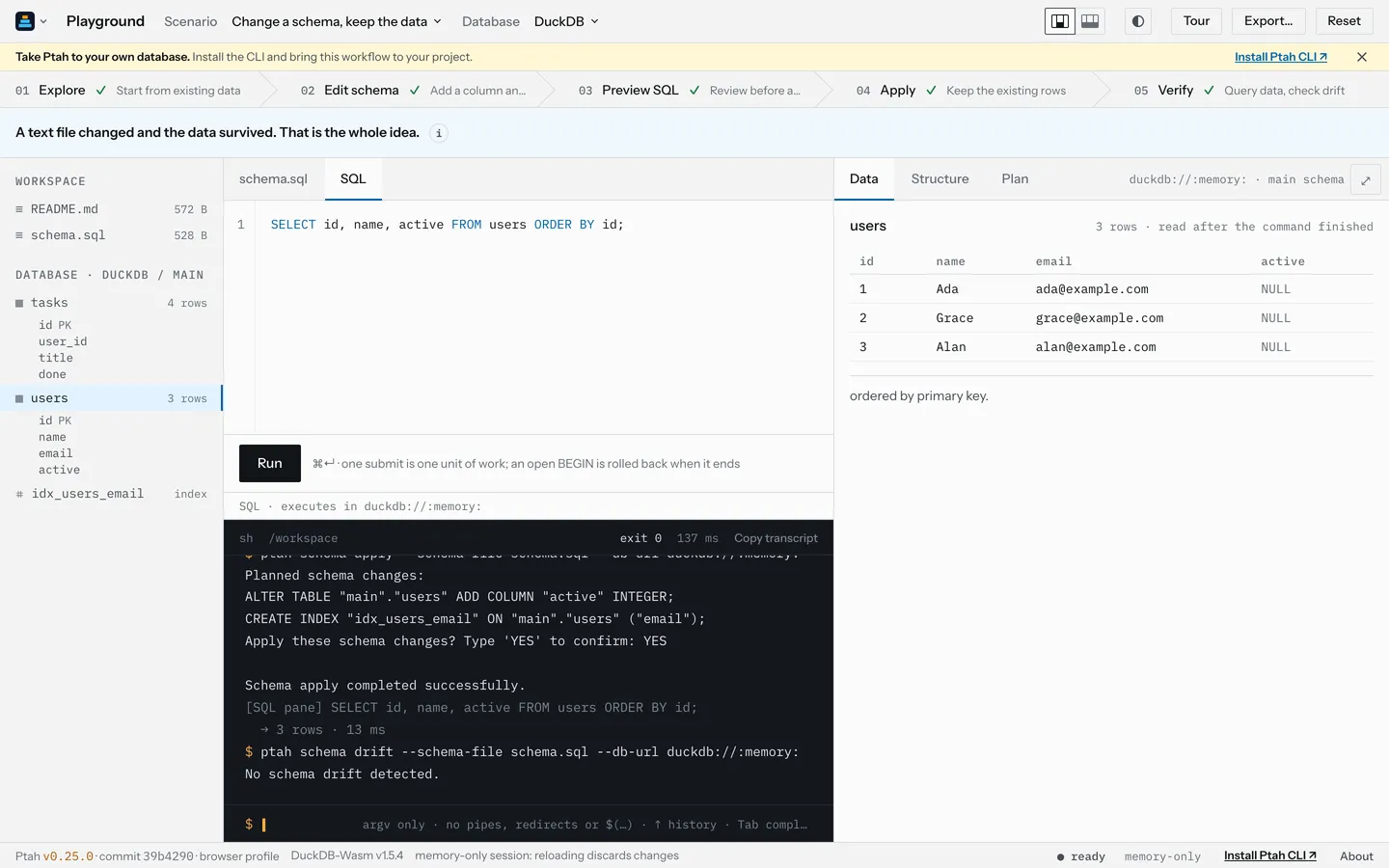
After you confirm the change, the playground reads the users back and runs a drift check. All three rows remain, the new column is visible, and Ptah reports no schema drift:
More to try
Section titled “More to try”- Detect drift: change the database directly and see how Ptah reports the
difference from
schema.sql. - Versioned migrations: generate, validate, and apply a migration, then check its status.
- Free exploration: query the seeded data and try Ptah commands without guided steps.
These routes use DuckDB versions of the existing seed data and schema. The migration route checks the migration hash, but does not offer migration lint because the linter does not yet accept DuckDB as a dialect.
The DuckDB database lives in memory. Reset or reload starts it fresh. Export saves your workspace files, including SQL, but does not include the database. The browser runtime reports DuckDB 1.5.4; the separately installed native provider uses DuckDB 2.0.0.
Open DuckDB in the Ptah Playground.